Showing posts with label Troubleshooting. Show all posts
Showing posts with label Troubleshooting. Show all posts
24 March 2010
Package Renaming
I was looking at the "What's new for OpenSolaris 2010.03" and noticed the comment about "Renamed Packages"... Things like 'SUNWgtar' were renamed to 'archiver/gnu-tar'. So if you are having trouble finding your package; make sure to check out the list for the new name.


19 February 2010
cfgadm
So I woke up the other day and the server was making a LOT of noise. My first thought was that it was a fan going out [still think it is actually], so I tried 'fmadm faulty'. I was hoping to see something telling me which of the 8 fans were dying. Instead, I see that I was in the midst of a zpool failure.
Checking 'zpool status' I was able to verify that one of the disks had died. I'm running raid-z2, so it isn't like it was a hectic problem to solve... but I learned long ago it is better to fix it now than to wait until a couple more die.
Normally, you would have to go buy a replacement disk. Luckily for me, this Asus box never did recognize the last 3 drive bays. Counting across (there are 10 hot-swap SATAII drives -- want to make sure to pop the right one) I took a guess which one was failing and which ones were not currently in use. Luckily I was right.
Now, the "new" drive already had data on it because it used to be part of the root mirror before I upgraded them to larger drives. That being said, I was a little confused when the new drive wasn't being recognized.
 I found this page which helped dramatically. 'cfgadm' showed that drive '6/0' was not configured. I ran 'cfgadm -c configure sata6/0'. It now showed up, but it said it was 'unavail' and 'corrupted data'. 'zpool online' didn't work because of those errors. Finally, I managed to get it to start working with 'zpool replace -f data c6t0d0'. It took quite awhile for it to finally finish. 'fmadm faulty' still showed the fault but I was able to fix that with the zpool clear that it recommended.
I'm thinking I should hook up one of my woot-off lights to flash whenever fmadm faulty shows a failure...
Checking 'zpool status' I was able to verify that one of the disks had died. I'm running raid-z2, so it isn't like it was a hectic problem to solve... but I learned long ago it is better to fix it now than to wait until a couple more die.
Normally, you would have to go buy a replacement disk. Luckily for me, this Asus box never did recognize the last 3 drive bays. Counting across (there are 10 hot-swap SATAII drives -- want to make sure to pop the right one) I took a guess which one was failing and which ones were not currently in use. Luckily I was right.
Now, the "new" drive already had data on it because it used to be part of the root mirror before I upgraded them to larger drives. That being said, I was a little confused when the new drive wasn't being recognized.
I'm thinking I should hook up one of my woot-off lights to flash whenever fmadm faulty shows a failure...
09 February 2010
GXT: BorderLayout inside TabPanel

Since the post never showed up in the forum, I can't answer it myself so others know how to fix the problem... so it'll go here.
The BorderLayout code does the following:
Size size = target.getStyleSize();
int h = size.height;
b.y = h - totalHeight + m.top;
Normally this would be fine. However, when embedded within the TabPanel, I had used the following line from the Tab demo:
setAutoHeight(true);This is actually what was causing the problem. With this set to true, the surrounding div didn't have an explicit height set and so was setting the y coordinate of the South region to 0-188+10. Removing that one line caused everything to layout as expected.
04 January 2010
Zones getting out of sync
The other day, I started an update and walked away. I noticed today it was done, so I zfs snapshotted the zones and xvm sessions then rebooted.
Upon bootup, everything seemed OK until I tried to access the web pages on one of the zones. Checking svcs -xv, I saw that the local filesystem was down! That's not good!
While troubleshooting, it occurred to me that the global is reporting snv_130 and zlogin to a zone is reporting snv_101a. Oops. Just a little outdated.
I looked around for how to get them into sync, and ran across this article.
The solution is actually quite simple. It takes *forever* so I really wish I would have checked the time for you before I started. The basic jist of it is:
At first, I forgot the '-u' and it came back and told me it was out of sync and reminded me to try again with -u.
Oops, now what? At first I started looking online at things like Bug 13190... Then I realized I was missing the obvious...
Log File: /var/tmp/eoti.org.attach_log.voaWef
hmm, ok, so what does it say?
root@serveris:~# cat /var/tmp/eoti.org.attach_log.voaWef
This may seem odd to most of you... but I had the default opensolaris package repository AND the dev repository setup at one point; so it was getting confused. I followed the instructions (the pkg set-publisher and pkg unset-publisher) then retried the attach...
root@serveris:~# zoneadm -z eoti.org attach -u
Upon bootup, everything seemed OK until I tried to access the web pages on one of the zones. Checking svcs -xv, I saw that the local filesystem was down! That's not good!
While troubleshooting, it occurred to me that the global is reporting snv_130 and zlogin to a zone is reporting snv_101a. Oops. Just a little outdated.
I looked around for how to get them into sync, and ran across this article.
The solution is actually quite simple. It takes *forever* so I really wish I would have checked the time for you before I started. The basic jist of it is:
# pfexec zoneadm -z MYZONE halt
# pfexec zoneadm -z MYZONE detach
# pfexec zoneadm -z MYZONE attach -u
At first, I forgot the '-u' and it came back and told me it was out of sync and reminded me to try again with -u.
root@serveris:~# zoneadm -z eoti.org attach -u
Log File: /var/tmp/eoti.org.attach_log.voaWef
Attaching...
Global zone version: entire@0.5.11,5.11-0.130:20091219T044839Z
Non-Global zone version: entire@0.5.11,5.11-0.101:20081204T010954Z
Publisher Check: Zone preferred publisher does not contain
entire@0.5.11,5.11-0.130:20091219T044839Z.
Publisher Reset: Copying preferred publisher from global zone.
Updating non-global zone: (Stage 1). Output follows
Creating Plan
ERROR: Could not update attaching zone
Oops, now what? At first I started looking online at things like Bug 13190... Then I realized I was missing the obvious...
Log File: /var/tmp/eoti.org.attach_log.voaWef
hmm, ok, so what does it say?
root@serveris:~# cat /var/tmp/eoti.org.attach_log.voaWef
[Monday, January 4, 2010 8:08:03 PM PST] Log File: /var/tmp/eoti.org.attach_log.voaWef
[Monday, January 4, 2010 8:08:07 PM PST] Attaching...
[Monday, January 4, 2010 8:08:07 PM PST] existing
[Monday, January 4, 2010 8:08:07 PM PST]
[Monday, January 4, 2010 8:08:07 PM PST] Sanity Check: Passed. Looks like an OpenSolaris system.
Unable to retrieve package data for publisher 'os-dev' from one
of the following origin(s):
http://pkg.opensolaris.org/dev/
The catalog retrieved from one of the origin(s) listed above only
contains package data for: opensolaris.org.
To resolve this issue, correct the origin information provided for
publisher 'os-dev' using the pkg set-publisher subcommand, or re-add
the publisher using the correct name and remove the 'os-dev'
publisher.
To re-add this publisher with the correct name, execute the following
commands as a privileged user:
pkg set-publisher -P -g http://pkg.opensolaris.org/dev/ opensolaris.org
pkg unset-publisher os-dev
Unable to retrieve package data for publisher 'os-dev' from one
of the following origin(s):
http://pkg.opensolaris.org/dev/
The catalog retrieved from one of the origin(s) listed above only
contains package data for: opensolaris.org.
To resolve this issue, correct the origin information provided for
publisher 'os-dev' using the pkg set-publisher subcommand, or re-add
the publisher using the correct name and remove the 'os-dev'
publisher.
To re-add this publisher with the correct name, execute the following
commands as a privileged user:
pkg set-publisher -P -g http://pkg.opensolaris.org/dev/ opensolaris.org
pkg unset-publisher os-dev
pkg: The following pattern(s) did not match any packages in the current catalog.
Try relaxing the pattern, refreshing and/or examining the catalogs:
entire@0.5.11,5.11-0.130:20091219T044839Z
This may seem odd to most of you... but I had the default opensolaris package repository AND the dev repository setup at one point; so it was getting confused. I followed the instructions (the pkg set-publisher and pkg unset-publisher) then retried the attach...
root@serveris:~# zoneadm -z eoti.org attach -u
Log File: /var/tmp/eoti.org.attach_log.4kaGTgYay!
Attaching...
Global zone version: entire@0.5.11,5.11-0.130:20091219T044839Z
Non-Global zone version: entire@0.5.11,5.11-0.101:20081204T010954Z
Publisher Check: Zone preferred publisher does not contain
entire@0.5.11,5.11-0.130:20091219T044839Z.
Publisher Reset: Copying preferred publisher from global zone.
Updating non-global zone: (Stage 1). Output follows
DOWNLOAD PKGS FILES XFER (MB)
Completed 121/121 19959/19959 125.0/125.0
PHASE ACTIONS
Removal Phase 5811/5811
Install Phase 15876/15876
Update Phase 12076/12076
PHASE ITEMS
Indexing Packages 122/122
Updating non-global zone: (Stage 2). Output follows
No updates necessary for this image.
Updating non-global zone: Zone updated to entire@0.5.11,5.11-0.130:20091219T044839Z
Attach complete.
22 October 2009
Gnome-terminal just disappears after upgrading to snv_125
After upgrading today, I was unable to launch the terminal. Let me correct that -- the window would come up, but before any text was displayed it would close. I didn't see any error messages or logs or anything that indicated what the problem was.
Then I found bug #6892167. To verify if that was my problem, I went up to "Applications | Run Application" and did 'gnome-terminal -e /bin/bash'. It launched fine.
Confirmed, I followed the instructions in the workaround to the best of my ability. The "old" copy of the libvte I had was 9.6.0, but it still appears to work. Also, I was unable to unmount the old boot environment without forcing (-f) it.
All seems to work now.
Then I found bug #6892167. To verify if that was my problem, I went up to "Applications | Run Application" and did 'gnome-terminal -e /bin/bash'. It launched fine.
Confirmed, I followed the instructions in the workaround to the best of my ability. The "old" copy of the libvte I had was 9.6.0, but it still appears to work. Also, I was unable to unmount the old boot environment without forcing (-f) it.
All seems to work now.
27 August 2009
Private Repositories with Nexus
So one of the projects I am working on is not open source (I know, I know)... that led me to realize I needed to provide both private AND anonymous access to my repositories -- depending on which repo.
A bit of googling and I came across this page. I mostly followed his instructions -- but here are a few sidenotes in case you go to try it.
In step #2, be careful about long names. When I got to step 3, I couldn't tell "Anonymous Public Snapshot Repository (read)" apart from "Anonymous Public Snapshot Repository (delete)" since they both looked like "Anonymous Public Snapshot Repositor".
I didn't do the last half of step #5 or step 6. Instead, I went into the user dialog and removed the permissions that the "anonymous" user originally had and added in mine instead.
Here's some screenshots...

This is the "Private Role"


You can test it by logging out then trying to look at the repositories. You click on the private ones and it says access denied. Public ones are still accessible.
A bit of googling and I came across this page. I mostly followed his instructions -- but here are a few sidenotes in case you go to try it.
In step #2, be careful about long names. When I got to step 3, I couldn't tell "Anonymous Public Snapshot Repository (read)" apart from "Anonymous Public Snapshot Repository (delete)" since they both looked like "Anonymous Public Snapshot Repositor".
I didn't do the last half of step #5 or step 6. Instead, I went into the user dialog and removed the permissions that the "anonymous" user originally had and added in mine instead.
Here's some screenshots...
This is the roles assigned to the "Public Role"

This is the "Private Role"

This is the "anonymous" user

And my personal user

You can test it by logging out then trying to look at the repositories. You click on the private ones and it says access denied. Public ones are still accessible.
22 August 2009
Subversion working in Unix but not on Windows
So as I was checking out my ambrosia project on Windows today and got this error:
Now, it may not be obvious looking at the error message, but here's the note as to the reason:
Do you see it? We have phi and Phi; phiTest and PhiTest... why you ask? Because phi and Phi are not the same number. I am not quite sure how I am going to resolve it (well, will have to change the names - but to what?) but have created an issue for it.
A ambrosia\thoth\src\test\java\org\eoti\math\cf\constants\phiTest.java
A ambrosia\thoth\src\test\java\org\eoti\math\cf\constants\PhiTest.java
A ambrosia\thoth\src\test\java\org\eoti\math\cf\constants\tanTest.java
A ambrosia\thoth\src\test\java\org\eoti\math\cf\constants\A052119Test.java
A ambrosia\thoth\src\test\java\org\eoti\math\cf\constants\A073333Test.java
A ambrosia\thoth\src\test\java\org\eoti\math\cf\constants\eTest.java
A ambrosia\thoth\src\test\java\org\eoti\math\cf\constants\A113011Test.java
A ambrosia\thoth\src\test\java\org\eoti\math\cf\constants\piTest.java
svn: In directory 'ambrosia\thoth\src\test\java\org\eoti\math\cf\constants'
svn: Can't open file 'ambrosia\thoth\src\test\java\org\eoti\math\cf\constants\.svn\tmp\text-base\PhiTest.java.svn-base': The system cannot find the file spe
cified.
A ambrosia\thoth\src\test\java\org\eoti\math\cf\constants\PhiTest.java
A ambrosia\thoth\src\test\java\org\eoti\math\cf\constants\tanTest.java
A ambrosia\thoth\src\test\java\org\eoti\math\cf\constants\A052119Test.java
A ambrosia\thoth\src\test\java\org\eoti\math\cf\constants\A073333Test.java
A ambrosia\thoth\src\test\java\org\eoti\math\cf\constants\eTest.java
A ambrosia\thoth\src\test\java\org\eoti\math\cf\constants\A113011Test.java
A ambrosia\thoth\src\test\java\org\eoti\math\cf\constants\piTest.java
svn: In directory 'ambrosia\thoth\src\test\java\org\eoti\math\cf\constants'
svn: Can't open file 'ambrosia\thoth\src\test\java\org\eoti\math\cf\constants\.svn\tmp\text-base\PhiTest.java.svn-base': The system cannot find the file spe
cified.
Now, it may not be obvious looking at the error message, but here's the note as to the reason:
"Failed to add file '(name here)': object of the same name already exists.
or
"Can't open file 'folder\.svn\tmp\text-base\file.svn-base': The system cannot find the file specified."
Both mean that two files in the same folder have the same name except for capitalization; for example "Readme.txt" and "README.TXT". Unix and Subversion are case-sensitive, so the files are considered to be completely unrelated. But in Windows is not case-sensitive, so when it tries to update README.TXT on top of Readme.txt (say), it breaks.
The surest way to fix the problem is to log in to a Unix system (such as io.uwplatt.edu) and use the unix notes to check out the repository there. You can then use the svn mv command to rename one of the files. If you are in the middle of trying to add a file to your repository, you might try using TortoiseSVN->Rename... to rename the existing file to something entirely different and then updating. Note that you need to use the TortoiseSVN rename commands; merely renaming the file in Windows Explorer won't fix your problems.
Do you see it? We have phi and Phi; phiTest and PhiTest... why you ask? Because phi and Phi are not the same number. I am not quite sure how I am going to resolve it (well, will have to change the names - but to what?) but have created an issue for it.
18 August 2009
Framework error: code: 28 reason: Operation timed out after 30000 milliseconds
When trying to install a package (in my case openjdk7-dev) you might run into this [on command line OR in the pkg ui]:
The solution to fix this was to simply set an environment variable:
Error:
Please check the network connection.
Is the repository accessible?
1: Framework error: code: 28 reason: Operation timed out after 30000 milliseconds with 18904080 out of 20853709 bytes received
URL: 'http://pkg.opensolaris.org/dev'.
2: Framework error: code: 28 reason: Operation timed out after 30000 milliseconds with 18999276 out of 20853709 bytes received
URL: 'http://pkg.opensolaris.org/dev'.
3: Framework error: code: 28 reason: Operation timed out after 30000 milliseconds with 19187200 out of 20853709 bytes received
URL: 'http://pkg.opensolaris.org/dev'.
4: Framework error: code: 28 reason: Operation timed out after 30000 milliseconds with 18991256 out of 20853709 bytes received
URL: 'http://pkg.opensolaris.org/dev'.
The solution to fix this was to simply set an environment variable:
export PKG_CLIENT_TIMEOUT=300
11 August 2009
FTPConnectionClosedException: Connection closed without indication
After installing the ftp server yesterday, I was trying to connect to it with the commons-net library. Unfortunately it kept failing:
As download worked from the browser, I thought this kinda odd. Looking a little closer, I decided to manually try the steps from the command line and see if I could figure out what was going on.
I ftp'd in and did the same commands I was doing from Java (passive, binary, etc).
When I tried to 'get' I saw:
Since I had found through my debugging that after the exception, the 150 FILE_STATUS_OK was the last reply I got; I looked up 421. It appears that there is a current bug on OpenSolaris that causes this behavior.
So here's the workaround (for the setup I did yesterday):
Everything works beautifully now :)
org.apache.commons.net.ftp.FTPConnectionClosedException: Connection closed without indication.
at org.apache.commons.net.ftp.FTP.__getReply(FTP.java:297)
at org.apache.commons.net.ftp.FTP.getReply(FTP.java:619)
at org.apache.commons.net.ftp.FTPClient.completePendingCommand(FTPClient.java:1244)
at org.apache.commons.net.ftp.FTPClient.retrieveFile(FTPClient.java:1301)
at org.apache.commons.net.ftp.FTP.__getReply(FTP.java:297)
at org.apache.commons.net.ftp.FTP.getReply(FTP.java:619)
at org.apache.commons.net.ftp.FTPClient.completePendingCommand(FTPClient.java:1244)
at org.apache.commons.net.ftp.FTPClient.retrieveFile(FTPClient.java:1301)
As download worked from the browser, I thought this kinda odd. Looking a little closer, I decided to manually try the steps from the command line and see if I could figure out what was going on.
I ftp'd in and did the same commands I was doing from Java (passive, binary, etc).
When I tried to 'get
150 Opening BINARY mode data connection for aopalliance-1.0.jar (6371 bytes).
421 Service not available, remote server has closed connection
ftp>
421 Service not available, remote server has closed connection
ftp>
Since I had found through my debugging that after the exception, the 150 FILE_STATUS_OK was the last reply I got; I looked up 421. It appears that there is a current bug on OpenSolaris that causes this behavior.
So here's the workaround (for the setup I did yesterday):
cp /lib/libsendfile.so.1 /home/ftp/lib
chown root:bin /home/ftp/lib/libsendfile.so.1
chown root:bin /home/ftp/lib/libsendfile.so.1
svcadm restart ftp
Everything works beautifully now :)
22 July 2009
Western Digital My Book World
So awhile back, I installed a My Book World onto the network. The other day I came home and the rings were spinning frantically and the drive was inaccessible.
I tried rebooting it, power cycling it, etc. No luck.
I contacted support. So far there has been 6 responses from Tech Support (which of course) started off with:
Still no resolution. I am expecting they are going to tell me to RMA the drive -- but I have a lot of personal sentimental pictures and such on there that have no backups (as these were the backups to the Windows box that died)... No clue what I am going to do -- but since I seem to have to RMA every Western Digital device I buy (internal or external) maybe I should quit buying WD.
I tried rebooting it, power cycling it, etc. No luck.
I contacted support. So far there has been 6 responses from Tech Support (which of course) started off with:
My apologies; I failed to notice you are using Linux.Western Digital technical support only provides jumper configuration and physical installation support for hard drives used in systems running the Linux/Unix operating systems. For setup questions beyond physical installation of your Western Digital hard drive, please contact the vendor of your Linux/Unix operating system.Which of course is *really* helpful since it is a *Linux* NETWORK drive accessed via web browser and samba. Of course, I understand they aren't trained to understand that a browser or ping on a non-windows system is just as accurate as on a windows system, but...
Still no resolution. I am expecting they are going to tell me to RMA the drive -- but I have a lot of personal sentimental pictures and such on there that have no backups (as these were the backups to the Windows box that died)... No clue what I am going to do -- but since I seem to have to RMA every Western Digital device I buy (internal or external) maybe I should quit buying WD.
07 July 2009
Hanging during boot
As a followup to the previous post (and this one before that)...
It still takes 4-5 hours to boot.... specifically, dmesg shows that this took 4 hours...
Jul 7 12:21:14 serveris xpv_psm: [ID 805372 kern.info] xVM_psm: ide (ata) instance 1 irq 0xf vector 0x98 ioapic 0x4 intin 0xf is bound to cpu 1
(system becomes usable here)
Jul 7 15:24:19 serveris xpv_psm: [ID 805372 kern.info] xVM_psm: ide (ata) instance 1 irq 0xf vector 0x98 ioapic 0x4 intin 0xf is bound to cpu 3
Any thoughts why a non-existant IDE device is polled for 4 hours during boot? Or why after finally booting, it is *still* doing it?
UPDATE: Bug submitted
It still takes 4-5 hours to boot.... specifically, dmesg shows that this took 4 hours...
Jul 7 08:15:32 serveris xpv_psm: [ID 805372 kern.info] xVM_psm: ide (ata) instance 0 irq 0xe vector 0x90 ioapic 0x4 intin 0xe is bound to cpu 2
(previous line [cdrom] was fine... rest are not)
Jul 7 08:15:32 serveris xpv_psm: [ID 805372 kern.info] xVM_psm: ide (ata) instance 1 irq 0xf vector 0x98 ioapic 0x4 intin 0xf is bound to cpu 3
Jul 7 08:15:32 serveris xpv_psm: [ID 805372 kern.info] xVM_psm: ide (ata) instance 1 irq 0xf vector 0x98 ioapic 0x4 intin 0xf is bound to cpu 0
Jul 7 08:15:40 serveris xpv_psm: [ID 805372 kern.info] xVM_psm: ide (ata) instance 1 irq 0xf vector 0x98 ioapic 0x4 intin 0xf is bound to cpu 3
Jul 7 08:15:57 serveris xpv_psm: [ID 805372 kern.info] xVM_psm: ide (ata) instance 1 irq 0xf vector 0x98 ioapic 0x4 intin 0xf is bound to cpu 0
Jul 7 08:15:57 serveris xpv_psm: [ID 805372 kern.info] xVM_psm: ide (ata) instance 1 irq 0xf vector 0x98 ioapic 0x4 intin 0xf is bound to cpu 1
Jul 7 08:15:57 serveris xpv_psm: [ID 805372 kern.info] xVM_psm: ide (ata) instance 1 irq 0xf vector 0x98 ioapic 0x4 intin 0xf is bound to cpu 2
Jul 7 08:15:57 serveris xpv_psm: [ID 805372 kern.info] xVM_psm: ide (ata) instance 1 irq 0xf vector 0x98 ioapic 0x4 intin 0xf is bound to cpu 3
(repeat and repeat and repeat)
Jul 7 12:21:13 serveris xpv_psm: [ID 805372 kern.info] xVM_psm: ide (ata) instance 1 irq 0xf vector 0x98 ioapic 0x4 intin 0xf is bound to cpu 0Jul 7 08:15:32 serveris xpv_psm: [ID 805372 kern.info] xVM_psm: ide (ata) instance 1 irq 0xf vector 0x98 ioapic 0x4 intin 0xf is bound to cpu 3
Jul 7 08:15:32 serveris xpv_psm: [ID 805372 kern.info] xVM_psm: ide (ata) instance 1 irq 0xf vector 0x98 ioapic 0x4 intin 0xf is bound to cpu 0
Jul 7 08:15:40 serveris xpv_psm: [ID 805372 kern.info] xVM_psm: ide (ata) instance 1 irq 0xf vector 0x98 ioapic 0x4 intin 0xf is bound to cpu 3
Jul 7 08:15:57 serveris xpv_psm: [ID 805372 kern.info] xVM_psm: ide (ata) instance 1 irq 0xf vector 0x98 ioapic 0x4 intin 0xf is bound to cpu 0
Jul 7 08:15:57 serveris xpv_psm: [ID 805372 kern.info] xVM_psm: ide (ata) instance 1 irq 0xf vector 0x98 ioapic 0x4 intin 0xf is bound to cpu 1
Jul 7 08:15:57 serveris xpv_psm: [ID 805372 kern.info] xVM_psm: ide (ata) instance 1 irq 0xf vector 0x98 ioapic 0x4 intin 0xf is bound to cpu 2
Jul 7 08:15:57 serveris xpv_psm: [ID 805372 kern.info] xVM_psm: ide (ata) instance 1 irq 0xf vector 0x98 ioapic 0x4 intin 0xf is bound to cpu 3
(repeat and repeat and repeat)
Jul 7 12:21:14 serveris xpv_psm: [ID 805372 kern.info] xVM_psm: ide (ata) instance 1 irq 0xf vector 0x98 ioapic 0x4 intin 0xf is bound to cpu 1
(system becomes usable here)
Jul 7 15:24:19 serveris xpv_psm: [ID 805372 kern.info] xVM_psm: ide (ata) instance 1 irq 0xf vector 0x98 ioapic 0x4 intin 0xf is bound to cpu 3
Any thoughts why a non-existant IDE device is polled for 4 hours during boot? Or why after finally booting, it is *still* doing it?
UPDATE: Bug submitted
24 June 2009
Maxine on OpenSolaris
Maxine is a VM designed for and written in the Java(TM) Programming Language with an emphasis on leveraging meta-circularity, componentized design, and code reuse to achieve flexibility, configurability, and productivity for academic and industrial virtual machine researchers.So I thought I'd give it a shot.
I extracted the zip file into into /opt. Originally permissions were as root:root (due to pfexec usage for opt) but I had to change it since maxine didn't like not having write access to the directory. I also created a symlink to /opt/maxine [which will be how I refer to it from now on].
I copied junit-4.4.jar into /opt/maxine/bin and added a line at the top of /opt/maxine/bin/max:
JUNIT4_CP=/opt/maxine/bin/junit-4.4.jarI modified my .zshrc to set /opt/maxine as MAXINE_HOME and added $MAXINE_HOME/bin to the beginning of my path.
Following these instructions, I took it for a little spin.
# max build
This actually failed (cc: language M1 not recognized) as long as gcc was in the PATH before the SunStudioExpress/bin; swapping those around it began working.
# max helloworld
Hello World# max vm -cp VM/bin test.output.GCTest2
Could not load main class: java.lang.ClassNotFoundException: test.output.GCTest2
KK, let's troubleshoot that...
# max -v helloworld
/opt/maxine/Native/generated/solaris/maxvm -classpath /opt/maxine/VM/bin util.HelloWorld
Hello World!
# max -v vm -cp VM/bin util.HelloWorld
/opt/maxine/Native/generated/solaris/maxvm -cp VM/bin util.HelloWorld
Could not load main class: java.lang.ClassNotFoundException: util.HelloWorld
# max -v vm -cp /opt/maxine/VM/bin util.HelloWorld
/opt/maxine/Native/generated/solaris/maxvm -cp /opt/maxine/VM/bin util.HelloWorld
Hello World!
Ok, I think I have it...
# max -v vm -cp /opt/maxine/VM/bin test.output.GCTest2
/opt/maxine/Native/generated/solaris/maxvm -cp /opt/maxine/VM/bin test.output.GCTest2
Garbage Collector Test
...
/opt/maxine/Native/generated/solaris/maxvm -cp /opt/maxine/VM/bin test.output.GCTest2
Garbage Collector Test
...
GCTest2 done.
I don't have 'max gate' working yet and 'max inspect' core dumped while trying to fork... but hey, it's a start.
22 June 2009
Ardor3D on OpenSolaris
I noticed earlier today that Sun finally changed the licensing on Darkstar, as per my request. Before going and working on my design, I decided to see what the status of DarkMMO was. Jeff has picked it back up, and has started porting it to Ardor3d.
Ardor3d? I hadn't heard of that...
Apparently, Joshua Slack has moved the development from jMonkeyEngine to Ardor3d. The little bit of research I did seems to indicate that there is a bit of a rift with that -- but that Ardor3d is more current.
Ok, well, can I get Ardor3d working on OpenSolaris?
I go and check out their 'getting started' and was very disappointed to see references to Eclipse. Yes, I know many of you out there like Eclipse; but I am a purist and so have been against it since day 1. Besides, I really didn't like IBM's deceptive practices regarding its launch.
Oh well, let's see if this project is worth using after all. I download the source (subversion, yay!) and go to compile it (maven, yay!)... First failure is obvious... I needed to add a mirror to their nexus repository inside mine.
Try again...
Ok, well now the ardor3d-swt is failing. As much as I hate to, I decide to troubleshoot why it isn't building. As could be expected from a non-java library, the problem was caused by their repo not having the native libraries (yes, native - that's the main reason I despise SWT -- whoever heard of requiring native libraries for a java app intentionally?).
Ok, screw it. I commented out the ardor3d-swt module and then added an exclusion for **/*Swt*.java to the compiler in the top level pom. Ok, now everything else builds.
Now to run the example... hmmm... well that's annoying, I don't really want to have to find all the jars to test it... So I copied the dependency plugin configuration from ambrosia's pom into the top level pom and rebuilt.
Good. Now I have all the runtime dependencies for the examples in one place. I added all of them (why is the Java6 -classpath directory not working?) to the classpath, as well as the auto-generated ardor3d-examples-0.6-SNAPSHOT.jar.
Try again. Close.
export LD_LIBRARY_PATH=/export/home/malachi/work/Ardor3Dv1/ardor3d-lwjgl/lib/lwjgl/native/solaris:$LD_LIBRARY_PATH
Try again. Ok this time it runs. Can't use JOGL in the popup because there isn't a native library for it. Can't use 8 samples, because then it complains about GLX13 configuration. Can't use fullscreen -- well, that's a bit harsh. I *can* use fullscreen but it looks like crap because it changes to 320x240 and has severe artifacts. However, 4 samples, LWJGL, 1152x864 looks pretty good. Colors look a LOT better on 1024x768 though.
So not sure how much time I will spend on it. Definitely appears that it will be a bit of work to make it usable on OpenSolaris. Then again, maybe I should retry on Windows since my Emotiv Epoc won't run on anything else right now anyways.
BTW: To run the example after setting up the classpath and LD_LIBRARY_PATH...
java com.ardor3d.example.basic.BoxExample
Ardor3d? I hadn't heard of that...
Apparently, Joshua Slack has moved the development from jMonkeyEngine to Ardor3d. The little bit of research I did seems to indicate that there is a bit of a rift with that -- but that Ardor3d is more current.
Ok, well, can I get Ardor3d working on OpenSolaris?
I go and check out their 'getting started' and was very disappointed to see references to Eclipse. Yes, I know many of you out there like Eclipse; but I am a purist and so have been against it since day 1. Besides, I really didn't like IBM's deceptive practices regarding its launch.
Oh well, let's see if this project is worth using after all. I download the source (subversion, yay!) and go to compile it (maven, yay!)... First failure is obvious... I needed to add a mirror to their nexus repository inside mine.
Try again...
Ok, well now the ardor3d-swt is failing. As much as I hate to, I decide to troubleshoot why it isn't building. As could be expected from a non-java library, the problem was caused by their repo not having the native libraries (yes, native - that's the main reason I despise SWT -- whoever heard of requiring native libraries for a java app intentionally?).
Ok, screw it. I commented out the ardor3d-swt module and then added an exclusion for **/*Swt*.java to the compiler in the top level pom. Ok, now everything else builds.
Now to run the example... hmmm... well that's annoying, I don't really want to have to find all the jars to test it... So I copied the dependency plugin configuration from ambrosia's pom into the top level pom and rebuilt.
Good. Now I have all the runtime dependencies for the examples in one place. I added all of them (why is the Java6 -classpath directory not working?) to the classpath, as well as the auto-generated ardor3d-examples-0.6-SNAPSHOT.jar.
Try again. Close.
export LD_LIBRARY_PATH=/export/home/malachi/work/Ardor3Dv1/ardor3d-lwjgl/lib/lwjgl/native/solaris:$LD_LIBRARY_PATH
Try again. Ok this time it runs. Can't use JOGL in the popup because there isn't a native library for it. Can't use 8 samples, because then it complains about GLX13 configuration. Can't use fullscreen -- well, that's a bit harsh. I *can* use fullscreen but it looks like crap because it changes to 320x240 and has severe artifacts. However, 4 samples, LWJGL, 1152x864 looks pretty good. Colors look a LOT better on 1024x768 though.
So not sure how much time I will spend on it. Definitely appears that it will be a bit of work to make it usable on OpenSolaris. Then again, maybe I should retry on Windows since my Emotiv Epoc won't run on anything else right now anyways.
BTW: To run the example after setting up the classpath and LD_LIBRARY_PATH...
java com.ardor3d.example.basic.BoxExample
10 June 2009
Firefox 3.5 and Java is not enabled
So I download the 3.5 Preview of Firefox (luckily the tarball rather than overwriting my working Firefox) and when I try to do just about anything:
The current version of Java on this system (0 - Java Not Enabled)So haven't figured out yet how to fix this. Edit|Preferences says that it is enabled. The other version of Firefox (3.1) can run at the same time and Java is working on it... Hope they iron that out soon. Especially since that little attempt completely wiped out all my personal data in the 3.1 version (bookmarks, passwords, history, everything -- which by the way, REALLY sucks).
20 May 2009
OpenSolaris Bible: First Impressions
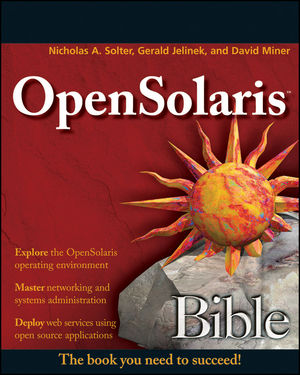
First thing I decided to play with was getting those remote CIFS shares mounted (they had been accessible via file explorer, but not via command-line). Unfortunately, it required I reboot the machine after enabling the smb/server... and well, for some unknown reason that currently takes 4 hours... so I didn't get to play with it much. I did however manage to get one of the shares to mount... Still trying to get the automount to work, but it's a start.
Taking the book to work today, I decided to play with FMD... Here's some comparison results between the work machine and the home machine... [Note: 'eris' is the work machine. 'serveris' is the home machine]
[eris:malachi(0)] ~% pfexec /usr/lib/fm/fmd/fmtopo
TIME UUID
May 20 09:40:20 23d4dce1-d973-c98a-ee18-ee2a16dd8ee8
hc://:product-id=OptiPlex-755:chassis-id=72VYGH1:server-id=eris/motherboard=0
hc://:product-id=OptiPlex-755:chassis-id=72VYGH1:server-id=eris/motherboard=0/chip=0
hc://:product-id=OptiPlex-755:chassis-id=72VYGH1:server-id=eris/motherboard=0/chip=0/core=0
hc://:product-id=OptiPlex-755:chassis-id=72VYGH1:server-id=eris/motherboard=0/chip=0/core=0/strand=0
hc://:product-id=OptiPlex-755:chassis-id=72VYGH1:server-id=eris/motherboard=0/chip=0/core=1
hc://:product-id=OptiPlex-755:chassis-id=72VYGH1:server-id=eris/motherboard=0/chip=0/core=1/strand=0
hc://:product-id=OptiPlex-755:chassis-id=72VYGH1:server-id=eris/motherboard=0/hostbridge=0
hc://:product-id=OptiPlex-755:chassis-id=72VYGH1:server-id=eris/motherboard=0/hostbridge=0/pciexrc=0
hc://:product-id=OptiPlex-755:chassis-id=72VYGH1:server-id=eris/motherboard=0/hostbridge=0/pciexrc=0/pciexbus=1
hc://:product-id=OptiPlex-755:chassis-id=72VYGH1:server-id=eris/motherboard=0/hostbridge=0/pciexrc=0/pciexbus=1/pciexdev=0
hc://:product-id=OptiPlex-755:chassis-id=72VYGH1:server-id=eris/motherboard=0/hostbridge=0/pciexrc=0/pciexbus=1/pciexdev=0/pciexfn=0
hc://:product-id=OptiPlex-755:chassis-id=72VYGH1:server-id=eris/motherboard=0/hostbridge=1
hc://:product-id=OptiPlex-755:chassis-id=72VYGH1:server-id=eris/motherboard=0/hostbridge=1/pciexrc=1
hc://:product-id=OptiPlex-755:chassis-id=72VYGH1:server-id=eris/motherboard=0/hostbridge=2
hc://:product-id=OptiPlex-755:chassis-id=72VYGH1:server-id=eris/chassis=0
malachi@serveris[0]:~ % pfexec /usr/lib/fm/fmd/fmtopo
TIME UUID
May 20 09:42:42 0524f912-299c-6280-d892-c36f53c00103
hc://:product-id=L1N64-SLI-WS:chassis-id=SYS-1234567890:server-id=serveris/motherboard=0
hc://:product-id=L1N64-SLI-WS:chassis-id=SYS-1234567890:server-id=serveris/motherboard=0/chip=0
hc://:product-id=L1N64-SLI-WS:chassis-id=SYS-1234567890:server-id=serveris/motherboard=0/chip=0/core=0
hc://:product-id=L1N64-SLI-WS:chassis-id=SYS-1234567890:server-id=serveris/motherboard=0/chip=0/core=0/strand=0
hc://:product-id=L1N64-SLI-WS:chassis-id=SYS-1234567890:server-id=serveris/motherboard=0/chip=0/core=1
hc://:product-id=L1N64-SLI-WS:chassis-id=SYS-1234567890:server-id=serveris/motherboard=0/chip=0/core=1/strand=0
hc://:product-id=L1N64-SLI-WS:chassis-id=SYS-1234567890:server-id=serveris/motherboard=0/chip=0/memory-controller=0
hc://:product-id=L1N64-SLI-WS:chassis-id=SYS-1234567890:server-id=serveris/motherboard=0/chip=0/memory-controller=0/dram-channel=0
hc://:product-id=L1N64-SLI-WS:chassis-id=SYS-1234567890:server-id=serveris/motherboard=0/chip=0/memory-controller=0/dram-channel=1
hc://:product-id=L1N64-SLI-WS:chassis-id=SYS-1234567890:server-id=serveris/motherboard=0/chip=1
hc://:product-id=L1N64-SLI-WS:chassis-id=SYS-1234567890:server-id=serveris/motherboard=0/chip=1/core=0
hc://:product-id=L1N64-SLI-WS:chassis-id=SYS-1234567890:server-id=serveris/motherboard=0/chip=1/core=0/strand=0
hc://:product-id=L1N64-SLI-WS:chassis-id=SYS-1234567890:server-id=serveris/motherboard=0/chip=1/core=1
hc://:product-id=L1N64-SLI-WS:chassis-id=SYS-1234567890:server-id=serveris/motherboard=0/chip=1/core=1/strand=0
hc://:product-id=L1N64-SLI-WS:chassis-id=SYS-1234567890:server-id=serveris/motherboard=0/chip=1/memory-controller=0
hc://:product-id=L1N64-SLI-WS:chassis-id=SYS-1234567890:server-id=serveris/motherboard=0/chip=1/memory-controller=0/dram-channel=0
hc://:product-id=L1N64-SLI-WS:chassis-id=SYS-1234567890:server-id=serveris/motherboard=0/chip=1/memory-controller=0/dram-channel=1
hc://:product-id=L1N64-SLI-WS:chassis-id=SYS-1234567890:server-id=serveris/motherboard=0/hostbridge=0
hc://:product-id=L1N64-SLI-WS:chassis-id=SYS-1234567890:server-id=serveris/motherboard=0/hostbridge=0/pcibus=5
hc://:product-id=L1N64-SLI-WS:chassis-id=SYS-1234567890:server-id=serveris/motherboard=0/hostbridge=0/pcibus=5/pcidev=11
hc://:product-id=L1N64-SLI-WS:chassis-id=SYS-1234567890:server-id=serveris/motherboard=0/hostbridge=0/pcibus=5/pcidev=11/pcifn=0
hc://:product-id=L1N64-SLI-WS:chassis-id=SYS-1234567890:server-id=serveris/motherboard=0/hostbridge=0/pcibus=5/pcidev=32
hc://:product-id=L1N64-SLI-WS:chassis-id=SYS-1234567890:server-id=serveris/motherboard=0/hostbridge=0/pcibus=5/pcidev=32/pcifn=0
hc://:product-id=L1N64-SLI-WS:chassis-id=SYS-1234567890:server-id=serveris/motherboard=0/hostbridge=1
hc://:product-id=L1N64-SLI-WS:chassis-id=SYS-1234567890:server-id=serveris/motherboard=0/hostbridge=1/pciexrc=1
hc://:product-id=L1N64-SLI-WS:chassis-id=SYS-1234567890:server-id=serveris/motherboard=0/hostbridge=2
hc://:product-id=L1N64-SLI-WS:chassis-id=SYS-1234567890:server-id=serveris/motherboard=0/hostbridge=2/pciexrc=2
hc://:product-id=L1N64-SLI-WS:chassis-id=SYS-1234567890:server-id=serveris/motherboard=0/hostbridge=3
hc://:product-id=L1N64-SLI-WS:chassis-id=SYS-1234567890:server-id=serveris/motherboard=0/hostbridge=3/pciexrc=3
hc://:product-id=L1N64-SLI-WS:chassis-id=SYS-1234567890:server-id=serveris/motherboard=0/hostbridge=3/pciexrc=3/pciexbus=2
hc://:product-id=L1N64-SLI-WS:chassis-id=SYS-1234567890:server-id=serveris/motherboard=0/hostbridge=3/pciexrc=3/pciexbus=2/pciexdev=0
hc://:product-id=L1N64-SLI-WS:chassis-id=SYS-1234567890:server-id=serveris/motherboard=0/hostbridge=3/pciexrc=3/pciexbus=2/pciexdev=0/pciexfn=0
hc://:product-id=L1N64-SLI-WS:chassis-id=SYS-1234567890:server-id=serveris/motherboard=0/hostbridge=4
hc://:product-id=L1N64-SLI-WS:chassis-id=SYS-1234567890:server-id=serveris/motherboard=0/hostbridge=4/pciexrc=4
hc://:product-id=L1N64-SLI-WS:chassis-id=SYS-1234567890:server-id=serveris/motherboard=0/hostbridge=4/pciexrc=4/pciexbus=1
hc://:product-id=L1N64-SLI-WS:chassis-id=SYS-1234567890:server-id=serveris/motherboard=0/hostbridge=4/pciexrc=4/pciexbus=1/pciexdev=0
hc://:product-id=L1N64-SLI-WS:chassis-id=SYS-1234567890:server-id=serveris/motherboard=0/hostbridge=4/pciexrc=4/pciexbus=1/pciexdev=0/pciexfn=0
hc://:product-id=L1N64-SLI-WS:chassis-id=SYS-1234567890:server-id=serveris/motherboard=0/hostbridge=5
hc://:product-id=L1N64-SLI-WS:chassis-id=SYS-1234567890:server-id=serveris/motherboard=0/hostbridge=5/pciexrc=5
hc://:product-id=L1N64-SLI-WS:chassis-id=SYS-1234567890:server-id=serveris/motherboard=0/hostbridge=6
hc://:product-id=L1N64-SLI-WS:chassis-id=SYS-1234567890:server-id=serveris/motherboard=0/hostbridge=6/pciexrc=6
hc://:product-id=L1N64-SLI-WS:chassis-id=SYS-1234567890:server-id=serveris/chassis=0
first cpu:
[eris:malachi(0)] ~% pfexec /usr/lib/fm/fmd/fmtopo -P all hc://:product-id=OptiPlex-755:chassis-id=72VYGH1:server-id=eris/motherboard=0/chip=0
TIME UUID
May 20 09:44:10 2d75b8fe-0c11-4e89-d8a5-ed2569e7b58e
hc://:product-id=OptiPlex-755:chassis-id=72VYGH1:server-id=eris/motherboard=0/chip=0
group: protocol version: 1 stability: Private/Private
resource fmri hc://:product-id=OptiPlex-755:chassis-id=72VY...
group: authority version: 1 stability: Private/Private
product-id string OptiPlex-755
chassis-id string 72VYGH1
server-id string eris
group: chip-properties version: 1 stability: Private/Private
vendor_id string GenuineIntel
family int32 6
model int32 23
stepping int32 6
malachi@serveris[0]:~ % pfexec /usr/lib/fm/fmd/fmtopo -P all hc://:product-id=L1N64-SLI-WS:chassis-id=SYS-1234567890:server-id=serveris/motherboard=0/chip=0
TIME UUID
May 20 09:45:56 a0c248a0-75ae-65c3-e8b3-be99702ad460
hc://:product-id=L1N64-SLI-WS:chassis-id=SYS-1234567890:server-id=serveris/motherboard=0/chip=0
group: protocol version: 1 stability: Private/Private
resource fmri hc://:product-id=L1N64-SLI-WS:chassis-id=SYS-...
group: authority version: 1 stability: Private/Private
product-id string L1N64-SLI-WS
chassis-id string SYS-1234567890
server-id string serveris
group: chip-properties version: 1 stability: Private/Private
vendor_id string AuthenticAMD
family int32 15
model int32 193
stepping int32 3
NodeId uint32 0x0
CoherentNodes uint32 0x2
SbNode uint32 0x0
LkNode uint32 0x0
SystemCoreCount uint32 0x4
C0Unit uint32 0x0
C1Unit uint32 0x1
McUnit uint32 0x2
HbUnit uint32 0x3
SbLink uint32 0x1
BroadcastRoutes uint32[] [ 9 1 ]
ResponseRoutes uint32[] [ 1 8 ]
RequestRoutes uint32[] [ 1 8 ]
shorthand for the CPU names....
[eris:malachi(0)] ~% pfexec /usr/lib/fm/fmd/fmtopo -s cpu
TIME UUID
May 20 09:45:57 08533a3a-65de-e73d-e8f1-e89fba223ed0
cpu:///cpuid=0
cpu:///cpuid=1
malachi@serveris[0]:~ % pfexec /usr/lib/fm/fmd/fmtopo -s cpu
TIME UUID
May 20 09:47:22 d2a17d23-222d-412d-c691-cf1273371317
cpu:///cpuid=0
cpu:///cpuid=1
cpu:///cpuid=2
cpu:///cpuid=3
Now, what else can I play with?
Hanging at Hostname: serveris
I had to reboot last night, so I made sure to keep track of the time.
10:58pm I had told Grub which instance to run and it was waiting at Hostname: serveris
1:30am I went to bed and it was still sitting there
7:30 this morning I check 'dmesg' and it shows nothing at all until 2:55am
So it took 4 hours to boot. That's pretty lame.
10:58pm I had told Grub which instance to run and it was waiting at Hostname: serveris
1:30am I went to bed and it was still sitting there
7:30 this morning I check 'dmesg' and it shows nothing at all until 2:55am
So it took 4 hours to boot. That's pretty lame.
14 May 2009
Project Darkstar
I recently had this conversation with Owen (rest of the conversation is here):
Based on that, I decided it was time to move forward with the darkstar-based projects...
Since I have a Hudson server, I decided to let it keep track of how to make it successfully build...
At first I was trying to build with JDK7, but it kept failing on the Javadoc module saying that the jars had invalid characters in it. That went away once I changed to JDK6. I also had to tell it to skip the tests, because one of them just hung forever...
The Hudson job for the server is here.
The Hudson job for the client is here.
The Hudson job for the maven plugin is here.
The distributables were delivered to Nexus.
sgs-server-dist-0.9.10-SNAPSHOT.zip
sgs-tutorial-server-dist-0.9.10-SNAPSHOT.zip
sgs-client-dist-0.9.10-SNAPSHOT.zip
sgs-tutorial-client-dist-0.9.10-SNAPSHOT.zip
sgs-maven-plugin-1.0-alpha-4-SNAPSHOT.jar
I created a new user on the server ('darkstar'/'darkstar') and unzipped the sgs-server-dist-0.9.10-SNAPSHOT.zip
I then created a symlink (/home/darkstar/current to /home/darkstar/sgs-server-dist-0.9.10-SNAPSHOT)
I don't know if it is correct, but I made this SMF manifest for it.
darkstar@kallisti [0] ~> svccfg import hudson.xml
darkstar@kallisti [0] ~> svcs -xv
svc:/application/darkstar:default (Project Darkstar Server)
State: maintenance since Thu May 14 23:37:36 2009
Reason: Restarting too quickly.
See: http://sun.com/msg/SMF-8000-L5
See: http://www.projectdarkstar.com/
See: /var/svc/log/application-darkstar:default.log
Impact: This service is not running.
darkstar@kallisti [0] ~> cat /var/svc/log/application-darkstar:default.log
WARNING: No application jar found with a META-INF/app.properties configuration file in the /home/darkstar/sgs-server-dist-0.9.10-SNAPSHOT/deploy directory
May 14, 2009 11:37:36 PM com.sun.sgs.impl.kernel.Kernel checkProperties
SEVERE: Missing required property com.sun.sgs.app.name
Exception in thread "main" java.lang.IllegalArgumentException: Missing required property com.sun.sgs.app.name
at com.sun.sgs.impl.kernel.Kernel.checkProperties(Kernel.java:855)
at com.sun.sgs.impl.kernel.Kernel.(Kernel.java:202)
at com.sun.sgs.impl.kernel.Kernel.main(Kernel.java:1123)
[ May 14 23:37:36 Stopping because all processes in service exited. ]
[ May 14 23:37:36 Restarting too quickly, changing state to maintenance. ]
Guess it's time to build an app...
Owen F. Kellett to me
I haven't forgotten about you. Good news though. We have recently gotten approval to make the server api as well as the interfaces for writing custom services, authenticators, etc GPLv2 + classpath exception. We haven't updated the code yet, but this is coming very soon. I would anticipate the next official release should contain this new licensing scheme. In the meantime, keep an eye on our incremental releases: http://download.java.net/maven/2/com/projectdarkstar/server/sgs-server-dist/
Either the next one, or the one following will likely have this change.
thanks, Owen
Malachi de Ælfweald to Owen
Thanks, Malachi de Ælfweald http://www.google.com/profiles/malachid
Owen F. Kellett to me

Based on that, I decided it was time to move forward with the darkstar-based projects...
Since I have a Hudson server, I decided to let it keep track of how to make it successfully build...
At first I was trying to build with JDK7, but it kept failing on the Javadoc module saying that the jars had invalid characters in it. That went away once I changed to JDK6. I also had to tell it to skip the tests, because one of them just hung forever...
The Hudson job for the server is here.
The Hudson job for the client is here.
The Hudson job for the maven plugin is here.
The distributables were delivered to Nexus.
sgs-server-dist-0.9.10-SNAPSHOT.zip
sgs-tutorial-server-dist-0.9.10-SNAPSHOT.zip
sgs-client-dist-0.9.10-SNAPSHOT.zip
sgs-tutorial-client-dist-0.9.10-SNAPSHOT.zip
sgs-maven-plugin-1.0-alpha-4-SNAPSHOT.jar
I created a new user on the server ('darkstar'/'darkstar') and unzipped the sgs-server-dist-0.9.10-SNAPSHOT.zip
I then created a symlink (/home/darkstar/current to /home/darkstar/sgs-server-dist-0.9.10-SNAPSHOT)
I don't know if it is correct, but I made this SMF manifest for it.
darkstar@kallisti [0] ~> svccfg import hudson.xml
darkstar@kallisti [0] ~> svcs -xv
svc:/application/darkstar:default (Project Darkstar Server)
State: maintenance since Thu May 14 23:37:36 2009
Reason: Restarting too quickly.
See: http://sun.com/msg/SMF-8000-L5
See: http://www.projectdarkstar.com/
See: /var/svc/log/application-darkstar:default.log
Impact: This service is not running.
darkstar@kallisti [0] ~> cat /var/svc/log/application-darkstar:default.log
WARNING: No application jar found with a META-INF/app.properties configuration file in the /home/darkstar/sgs-server-dist-0.9.10-SNAPSHOT/deploy directory
May 14, 2009 11:37:36 PM com.sun.sgs.impl.kernel.Kernel checkProperties
SEVERE: Missing required property com.sun.sgs.app.name
Exception in thread "main" java.lang.IllegalArgumentException: Missing required property com.sun.sgs.app.name
at com.sun.sgs.impl.kernel.Kernel.checkProperties(Kernel.java:855)
at com.sun.sgs.impl.kernel.Kernel.
at com.sun.sgs.impl.kernel.Kernel.main(Kernel.java:1123)
[ May 14 23:37:36 Stopping because all processes in service exited. ]
[ May 14 23:37:36 Restarting too quickly, changing state to maintenance. ]
Guess it's time to build an app...
10 May 2009
Server Died

So I got home last night to find the server had power but was not responding (mouse, keyboard, ssh, anything). I tried rebooting, but it kept handing at "Hostname: serveris" and wouldn't go any further (even in single-user mode). I saw some chatlogs online that suggested adding '-k -a -d verbose' and using '/dev/null' to the answer of any questions (like /etc/system replacement)...
I tried that and got this far (see left)...
Looking around some more, I saw that if I changed the '-k' to '-kd' it would drop it into debug mode. At that point, I did the following:

[0] moddebug/W 80000000
[0] :c
This allowed me to see a few more details.... (sorry for the blurriness of the pic - it was about 3am)
After trying to find anything online that would help (and the IRC channel) I finally said screw it and decided I would reinstall opensolaris on the root mirror.
I downloaded the USB version of OpenSolaris 0906 111a, but evidentially my quad core machine does not have the option of booting from USB (WTF?). I reburned the CD version and installed it. One thing that confused me is that although my old system was 10/08 upgraded to 111a and the new version was supposed to be 0906 111a, it now says 101b.
Trying to boot the new one, it again hung. At a different position, but... I was starting to think it was a hardware problem. I let it try to boot overnight and the next morning it was finally at the login prompt... with the old install.
The logs showed that it had tried to load the Belkin UPS a few steps after where it locked up, so I unplugged the UPS. I went ahead and applied all updates and rebooted. It took about 5 hours for it to finally boot again (though it did). It still says I am using 101b and that there are no new updates.
The xVM instance is there and I was able to start it. The whole root zone however is gone. The ZFS partition is there, and empty. zoneadm doesn't show anything but global. So, I am going to try to recreate the global zone, but... I still don't know what happened. I am also concerned that it currently takes about 5 hours to boot.
06 May 2009
Playing some music
So I wanted to listen to some music, but neither youtube or pandora were working (not sure why, they were yesterday)...
So I tried Songbird, which I use at work. It wouldn't work either:
Error: GStreamer error: Internal data flow error. Additional information: gstbasesrc.c(2234): gst_base_src_loop (): /GstPlayBin2:player/GstURIDecodeBin:uridecodebin1/GstFileSrc:source:
streaming task paused, reason not-linked (-1)
So I tried Rhythm, but it couldn't play anything either...
WTF? Right?
So I did this instead. Now I have music playing :)
So I tried Songbird, which I use at work. It wouldn't work either:
Error: GStreamer error: Internal data flow error. Additional information: gstbasesrc.c(2234): gst_base_src_loop (): /GstPlayBin2:player/GstURIDecodeBin:uridecodebin1/GstFileSrc:source:
streaming task paused, reason not-linked (-1)
So I tried Rhythm, but it couldn't play anything either...
WTF? Right?
So I did this instead. Now I have music playing :)
01 May 2009
Don't forget to escape the inner class
I think I have used Windows too long...
malachi@serveris[1]:~/work/ambrosia/syrinx % java -cp target/syrinx-2.3-SNAPSHOT.jar org.eoti.sound.BrainwaveOscillator$Test
Error: Main method not found in class org.eoti.sound.BrainwaveOscillator, please define the main method as:
public static void main(String[] args)
Exception in thread "main" java.lang.RuntimeException: Main method not found in org.eoti.sound.BrainwaveOscillator
at sun.launcher.LauncherHelper.signatureDiagnostic(LauncherHelper.java:209)
at sun.launcher.LauncherHelper.checkAndLoadMain(LauncherHelper.java:197)
malachi@serveris[1]:~/work/ambrosia/syrinx % java -cp target/syrinx-2.3-SNAPSHOT.jar org.eoti.sound.BrainwaveOscillator\$Test
You have to escape the $ for the inner class :(
malachi@serveris[1]:~/work/ambrosia/syrinx % java -cp target/syrinx-2.3-SNAPSHOT.jar org.eoti.sound.BrainwaveOscillator$Test
Error: Main method not found in class org.eoti.sound.BrainwaveOscillator, please define the main method as:
public static void main(String[] args)
Exception in thread "main" java.lang.RuntimeException: Main method not found in org.eoti.sound.BrainwaveOscillator
at sun.launcher.LauncherHelper.signatureDiagnostic(LauncherHelper.java:209)
at sun.launcher.LauncherHelper.checkAndLoadMain(LauncherHelper.java:197)
malachi@serveris[1]:~/work/ambrosia/syrinx % java -cp target/syrinx-2.3-SNAPSHOT.jar org.eoti.sound.BrainwaveOscillator\$Test
You have to escape the $ for the inner class :(
Subscribe to:
Posts (Atom)